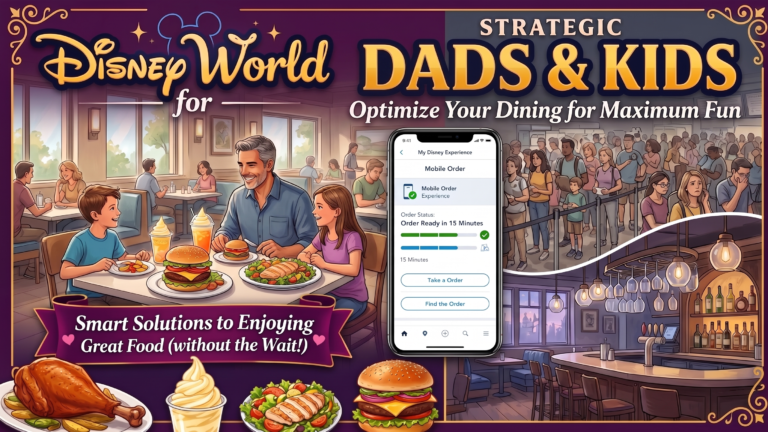
How to Mobile Order Food at Disney World
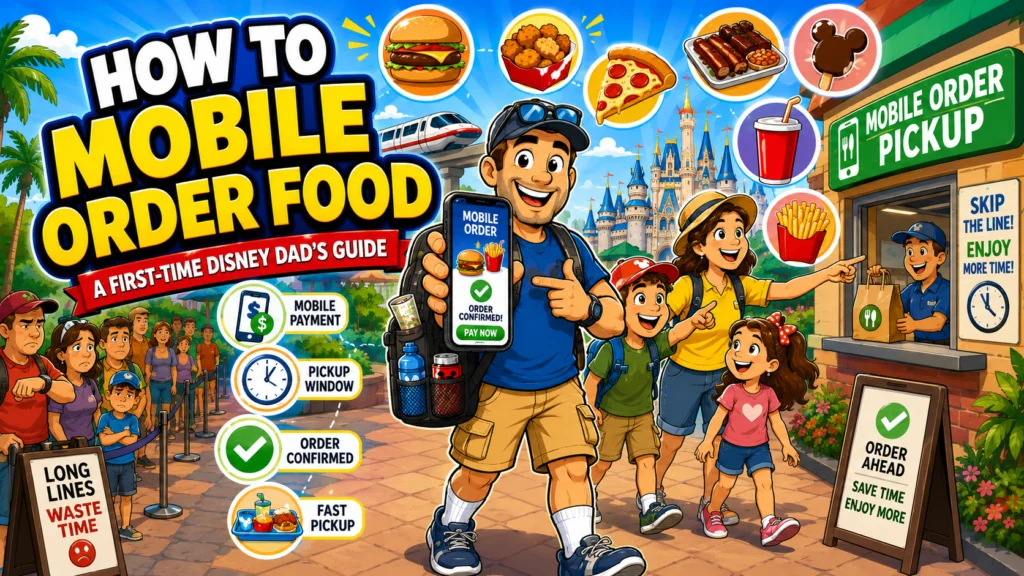
Dad's Quick Reference
Dad Tip
Learn how to use Mobile Order at Disney World like a pro. This complete 2026 guide for first-time Disney dads covers ordering food, avoiding long lines, best restaurants, common mistakes, and expert time-saving tips.
Dad Strategy
Don’t wait until your family says they’re hungry. While you’re standing in line for your last attraction before lunch, place your Mobile Order. By the time you walk to the restaurant, your meal will often be ready, saving 20–30 minutes during the busiest part of the day.
Common Dad Mistakes
- Waiting until everyone is hungry before ordering.
- Choosing the noon lunch rush.
- Forgetting to tap "I'm Here."
Important
Restaurants may temporarily stop accepting Mobile Orders during peak lunch hours. Order early whenever possible.
If you’re planning your first Walt Disney World vacation, one of the biggest surprises isn’t the rides, the fireworks, or even the Florida heat.
It’s the lunch line.
Around noon, quick-service restaurants throughout the parks can become incredibly busy. Hungry families crowd around menus, parents debate what everyone wants, and kids who were perfectly happy just fifteen minutes ago suddenly decide they’re starving.
Fortunately, Disney has a solution that can save you time, reduce stress, and help avoid those dreaded “hangry” moments: Mobile Order.
Using the My Disney Experience app, you can browse menus, customize meals, pay ahead of time, and skip the traditional ordering line at most quick-service restaurants across Walt Disney World.
For many families, Mobile Order saves 15 to 30 minutes—or even longer during peak meal times. That’s more time riding attractions, watching shows, or simply enjoying your vacation together.
This guide will walk you through everything you need to know so you can confidently use Mobile Order on your very first Disney vacation.
What Is Mobile Order?
Mobile Order is Disney’s app-based ordering system for quick-service restaurants.
Instead of waiting in line to place your order at a register, you’ll:
- Choose a restaurant
- Browse the menu
- Customize your meal
- Pay within the app
- Arrive during your selected pickup window
- Tap “I’m Here, Prepare My Order”
- Pick up your food when it’s ready
It’s simple, fast, and available throughout all four theme parks, Disney Springs, water parks, and many Disney Resort hotels.
Before You Leave Home
One of the biggest mistakes first-time visitors make is waiting until they’re standing in the middle of Magic Kingdom to figure everything out.
Spend a few minutes preparing before your vacation.
Download My Disney Experience
Install the My Disney Experience app on your phone and make sure it’s updated before you leave home.
Sign Into Your Disney Account
Verify that your login works and that you remember your password.
Link Your Reservations
Before your trip, make sure you’ve already linked:
- Park tickets
- Resort reservation
- Family members
- MagicBands (if using them)
Add a Payment Method
Entering your credit card while relaxing at home is much easier than trying to type it in while standing in a crowded park.
How to Place Your First Mobile Order
Using Mobile Order is easier than many people expect.
Step 1
Open the My Disney Experience app.
Step 2
Tap the ”+” button or navigate to the Food Orders section.
Step 3
Browse participating restaurants nearby or search for one you’ve already chosen.
Step 4
Select an available pickup window.
Step 5
Choose your food.
Many menu items can be customized by removing ingredients or selecting side dishes and beverages.
Step 6
Review your order carefully.
Step 7
Pay securely within the app.
You’ll receive a confirmation immediately.
Understanding Pickup Windows
Instead of preparing every order instantly, Disney uses pickup windows to keep kitchens running smoothly.
For example:
- 11:15–11:30
- 11:30–11:45
- Noon–12:15
Choose the window that works best with your touring plans.
If you’re heading to another attraction first, simply pick a later time.
Dad Strategy: Order Before Everyone Gets Hungry
This is one of the easiest ways to reduce stress.
Instead of waiting until your family says:
“I’m starving!”
place your order while you’re standing in line for your final morning attraction.
By the time you walk to the restaurant, your pickup window will often be approaching.
Instead of waiting in another long line, you’ll be enjoying lunch while everyone else is still deciding what they want.
Best Times to Mobile Order
| Time | Recommendation |
|---|---|
| Before 11:00 AM | Excellent |
| 11:00–11:30 AM | Very Good |
| Noon–1:30 PM | Busy—Order Early |
| 2:00–4:00 PM | Excellent |
| After 6:30 PM | Usually Less Crowded |
Ordering even 30 minutes before lunch can make a noticeable difference.
Picking Up Your Food
When you arrive at the restaurant:
Open your order.
Tap:
I’m Here, Prepare My Order
The kitchen won’t begin preparing your food until you tap this button.
Once your meal is ready, you’ll receive a notification directing you to the Mobile Order pickup window.
Simply show the confirmation screen if requested and collect your tray.
Best Mobile Order Locations by Park
One of the biggest advantages of Mobile Order is using it where it saves the most time.
| Park | Great Mobile Order Choices |
|---|---|
| Magic Kingdom | Cosmic Ray’s Starlight Café, Columbia Harbour House, Pecos Bill Tall Tale Inn & Café, Pinocchio Village Haus |
| EPCOT | Connections Eatery, Regal Eagle Smokehouse, Sunshine Seasons, Yorkshire County Fish Shop |
| Hollywood Studios | ABC Commissary, Docking Bay 7 Food and Cargo, Backlot Express, Woody’s Lunch Box |
| Animal Kingdom | Satu’li Canteen, Flame Tree Barbecue |
These locations often experience heavy lunch crowds, making Mobile Order especially valuable.
Mobile Ordering at Disney Resorts
Many guests don’t realize Mobile Order works at numerous Disney Resort quick-service locations too.
This is especially helpful:
- On your arrival day
- Before heading to the parks
- After a long park day
- During a Resort Day
Instead of waiting in another line after an exhausting day, your meal can already be in progress while you walk over.
Dining with Picky Eaters
Every Disney dad knows the challenge.
One child wants plain chicken tenders.
Another wants macaroni and cheese.
Mom wants a salad.
Dad wants a cheeseburger.
Fortunately, Mobile Order allows you to review everyone’s choices carefully before submitting the order, reducing the pressure of ordering quickly at a busy counter.
Many meals can also be customized, making it easier to satisfy different tastes.
Food Allergies and Dietary Needs
Disney is well known for accommodating dietary restrictions.
Many Mobile Order menus clearly identify:
- Allergy-friendly meals
- Vegetarian options
- Vegan selections
- Plant-based choices
- Gluten-friendly items
If someone in your family has significant food allergies, it’s still a good idea to speak with a Cast Member when you arrive, but Mobile Order makes identifying suitable options much easier.
Payment Options
Most guests pay using a credit or debit card stored in My Disney Experience.
Depending on your vacation setup, you may also be able to use:
- Disney Gift Cards
- Disney Rewards Redemption Cards
- Resort room charging (for eligible Disney Resort guests)
Review your payment method before submitting the order to avoid delays.
Common Mistakes First-Time Disney Dads Make
Waiting Until Everyone Is Hungry
By then, everyone else is ordering too.
Walking to the Restaurant Before Ordering
Some pickup windows may already be pushed back by the time you arrive.
Order first.
Walk second.
Forgetting to Tap “I’m Here”
The kitchen doesn’t automatically begin preparing your meal when you arrive.
Don’t forget this final step.
Ordering During Peak Lunch
The busiest lunch period is usually around noon.
Ordering a little earlier—or even selecting a later pickup window before you get hungry—can save valuable vacation time.
Not Checking the Pickup Window
Some restaurants have separate entrances for Mobile Order.
Look for the Mobile Order signs instead of joining the regular ordering line.
Dad’s Pro Tips
Eat Early
Lunch at 11:00 AM is almost always easier than lunch at noon.
Use One Adult to Pick Up Food
While one parent grabs the order, the other can find a table and keep the kids occupied.
Save Favorite Restaurants
If your family loves a particular quick-service location, mark it as a favorite in the app for easier access later in the trip.
Keep Your Phone Charged
Mobile Order, park maps, Lightning Lane, and PhotoPass all rely on your phone. Carry a portable battery so you don’t lose access when you need it most.
Final Thoughts
Mobile Order may seem like a small feature, but it can make a surprisingly big difference in your Disney vacation.
Instead of spending precious vacation time standing in another line, you can have your meal ready while your family finishes one more attraction, enjoys the scenery, or simply takes a break from the excitement.
For first-time Disney dads, Mobile Order is one of the easiest ways to reduce stress and keep the day moving smoothly.
A few minutes of planning can save a lot of waiting—and more importantly, it means more time making memories with the people you came to Disney World to enjoy.
Remember, the goal isn’t to rush through your vacation. It’s to spend less time in line and more time together.
Discover more from Disney World for Dads
Subscribe to get the latest posts sent to your email.
Save This Article For Your Next Disney Trip